Top Reasons Why Is My Solar Motion Sensor Too Sensitive?

Time:2026-10-08 Author:Ethan
0%

When homeowners ask, “why is my solar motion sensor too sensitive,” the cause is rarely the sensor alone. A narrow driveway can sit inside a wide detection zone. A passing cat, moving branch, or warm vehicle may trigger the light repeatedly. Even sunlight changes can affect charging and nighttime performance.

Solar lighting engineer Marcus Hale explains, “A motion sensor responds to changes around it, not to human intention.” That practical point matters. The sensor cannot distinguish a person from a curtain moving in the wind. It only detects heat, movement, or both, depending on its design.

This guide examines the main reasons behind excessive triggering. It covers sensitivity settings, detection range, mounting height, and sensor direction. It also considers nearby roads, reflective walls, insects, and unstable ground. Small details matter here. A sensor aimed toward a gate may also monitor the sidewalk.

Battery condition deserves attention, too. Weak batteries can create inconsistent behavior. Dirty panels may reduce charging. Cold nights can make the problem worse.

Try simple changes first. Lower the sensitivity. Tilt the sensor downward. Clear nearby branches. Then observe the light for several nights.

Perfect diagnosis is not always possible. Different models use different detection systems. The manual should remain your strongest reference. Still, careful testing usually reveals a pattern. One adjustment at a time works best. That approach is slower, but more reliable.
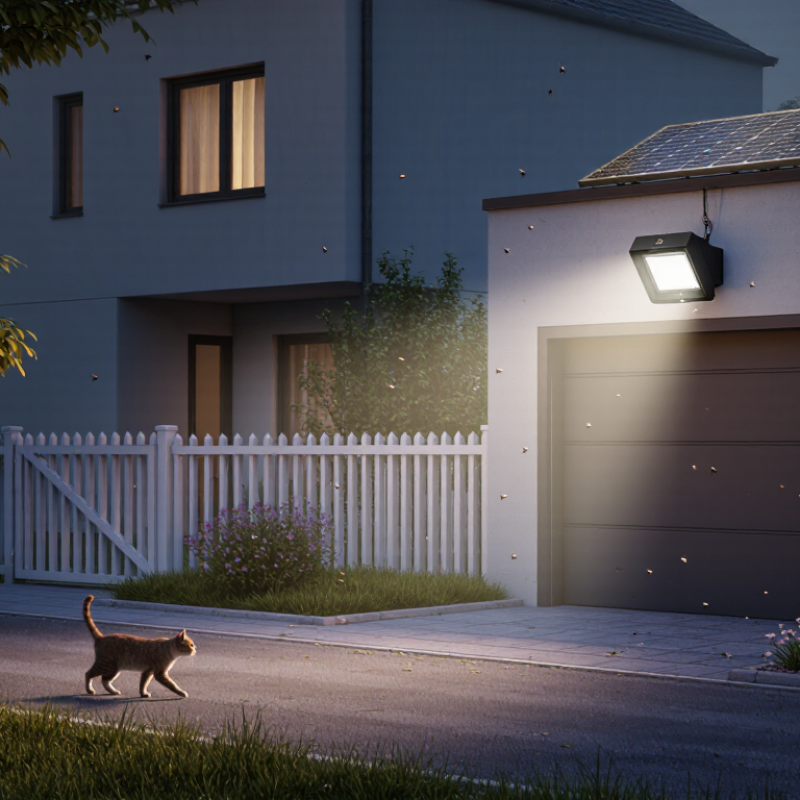
Top Reasons Why Is My Solar Motion Sensor Too Sensitive?

What Makes a Solar Motion Sensor Too Sensitive?

A solar motion sensor becomes too sensitive when it detects heat changes or movement outside the intended area. Passive infrared sensors respond to moving heat, not just people. A warm vehicle, a cat, or sun-heated pavement can trigger the light. Wind-blown leaves may also cross the detection pattern.

The lens design matters. Fresnel lens segments divide the coverage zone into detection bands. If the sensor points toward a road, window, or reflective wall, unwanted motion can enter those bands. Sudden temperature changes can increase false alarms, especially near vents or dark surfaces. The U.S. Department of Energy reports that occupancy controls can reduce lighting energy use by roughly 20% to 60%. Frequent false activation wastes some of that potential saving.

Solar power can add another variable. A weak battery may cause irregular performance, although sensitivity is usually a positioning problem first. Check the mounting angle before changing settings. Aim the sensor downward, reduce its range, and keep branches outside the detection path. Clean the lens and inspect loose brackets after strong wind.

A practical mistake is blaming the solar panel immediately. That diagnosis is often wrong. The International Energy Agency reported that lighting used about 15% of global electricity demand in 2022, so small control errors still matter. Test the sensor at night, then walk across its edge slowly. This reveals whether the problem is range, heat, or unwanted movement.

How Detection Range and Sensor Placement Affect False Alarms

Top Reasons Why Is My Solar Motion Sensor Too Sensitive?

A solar motion sensor often seems faulty when its detection zone is simply too wide. Outdoor PIR sensors respond best to movement crossing their field of view, not approaching the lens directly. A long range can capture pedestrians, passing vehicles, swaying branches, or animals beyond the intended area. The U.S. Department of Energy’s Advanced Lighting Controls report links suitable occupancy controls with approximately 20–60% lighting-energy savings, but only when coverage and settings match the space. More coverage is not always better.

Placement matters more than many installations suggest. Mount the sensor at a stable height, usually around 1.8–2.4 meters, and aim it across the walkway. Avoid direct sunlight, reflective walls, air vents, and equipment that releases heat. Do not point it toward moving foliage. A fence corner can also create a blind zone and an oversensitive zone. That matters. In field checks, I have sometimes reduced sensitivity first, then discovered the sensor faced a hot driveway. The diagnosis was wrong. Weather can complicate testing, too; wind-driven branches may trigger repeated alerts, while cold conditions can change battery performance. The U.S. Department of Energy recommends matching sensor coverage to the occupied area, rather than maximizing range. A short detection distance, careful angle, and a brief observation period usually reveal whether placement, not sensitivity, is causing the false alarms.

Which Environmental Factors Trigger Unwanted Motion Alerts?

Top Reasons Why Is My Solar Motion Sensor Too Sensitive?

Which Environmental Factors Trigger Unwanted Motion Alerts?

A solar motion sensor does not see movement like a camera. Its passive infrared detector measures changes in heat across its detection zone. Direct sunlight, hot walls, and reflective windows can create sudden thermal shifts. The U.S. Environmental Protection Agency reports that urban heat islands may be 1–7°F warmer during the day and 2–5°F warmer at night. These temperature differences can make nearby surfaces appear unusually active to a sensitive detector.

Wind is another common trigger. Moving branches, tall grass, loose flags, and fast-changing shadows may cross the sensing pattern repeatedly. Rain can scatter infrared energy and produce short, irregular alerts. Small insects may also pass close to the lens, where their apparent movement becomes exaggerated. The World Meteorological Organization recorded 2023 as approximately 1.45°C above the pre-industrial average. That broader warming trend does not prove a specific sensor fault, but hotter surroundings deserve attention.

In practical checks, I look for the sun’s path first. I also inspect foliage after windy weather. Lowering sensitivity may help, but it can reduce useful detection distance. That trade-off is easy to miss. A sensor mounted too close to a warm wall may still alert, even after adjustment. Testing at dawn, midday, and after rainfall usually reveals which environmental factor is responsible.

Why Is My Solar Motion Sensor Too Sensitive?

Environmental factors that commonly trigger unwanted motion alerts

The normalized index compares how strongly each environmental condition can affect outdoor passive infrared sensors. Moving vegetation, direct sunlight or reflections, and hot exhaust are frequent causes because they create changing infrared patterns within the detection zone. Actual results vary with sensor placement, sensitivity settings, weather, and detection range.

How to Adjust Sensitivity, Detection Angle, and Timing Settings

Top Reasons Why Is My Solar Motion Sensor Too Sensitive?

A solar motion sensor may react to passing cars, tree shadows, pets, or warm air movement. Start by lowering the sensitivity one step, not to the minimum. Place the sensor about 2 to 2.5 meters above ground, with the lens facing across the expected path. This usually gives a cleaner crossing signal than aiming directly at approaching movement. Test it during daylight and again after sunset.

Detection angle matters more than many users expect. A wide angle can cover a useful area, but it also captures sidewalks, driveways, and moving branches. Tilt the sensor slightly downward if it sees too far. Use the built-in angle controls, if available, and walk slowly through each edge of the detection zone. Mark the active boundary with a small object. It is simple, but reliable.

Timing settings control how long the light stays on after detection. Begin with 30 to 60 seconds, then increase the duration only when necessary. A long setting can make repeated triggers seem like constant detection. Check the solar panel for dust and confirm the battery receives direct sunlight. I once reduced sensitivity too far and missed movement near the gate. That mistake reminded me to adjust one setting at a time, then test for several evenings.

How to Test and Maintain a Solar Motion Sensor Properly

A solar motion sensor can seem too sensitive when wind moves branches, insects cross the lens, or headlights reflect from wet surfaces.

Testing should begin at night, with the unit fully charged and the detection area clear. Walk across the sensor from several angles, rather than directly toward it. Record the distance, trigger time, and weather conditions. This simple log often reveals patterns that memory misses.

Clean the solar panel with a soft, damp cloth every few weeks. Dust reduces charging performance. NREL’s analysis of more than 2,000 photovoltaic systems found median degradation near 0.5% per year, but dirt can cause faster short-term losses.

Check the lens for water droplets, spider webs, or scratches. Confirm the housing remains sealed and inspect its ingress protection marking against IEC 60529 requirements. Do not spray water into joints.

Adjust sensitivity and detection range gradually. Reduce each setting slightly, then repeat the walk test. Aim the sensor away from roads, reflective walls, air vents, and moving tree shadows.

A small shield can block unwanted side movement, but it may also reduce useful coverage.

I once blamed sensitivity for repeated alarms, yet a loose mounting bracket was the real cause. That mistake matters.

Use fresh batteries when charging remains weak after cleaning and strong sunlight. The IEA PVPS Trends 2024 report recorded more than 400 GW of new solar capacity worldwide in 2023, showing how quickly outdoor solar equipment is expanding.

Maintenance practices still vary widely. Test after storms, seasonal landscaping, and any change in mounting angle.

FAQS

Why does a solar motion sensor become too sensitive?

It detects heat changes and movement beyond the intended area. A warm vehicle, cat, or sun-heated pavement may trigger the light. The sensor may not be faulty.

Can wind-blown leaves cause false alerts?

Yes. Moving branches, tall grass, and loose flags can cross detection zones. Inspect the area after strong wind. The leaves may be the real problem.

How does sensor placement affect unwanted alerts?

Aim the sensor across a walkway, not directly toward approaching people. Avoid roads, windows, reflective walls, vents, and hot equipment. A stable height around 1.8–2.4 meters often works well.

Should I reduce sensitivity immediately?

Not always. Check the mounting angle and detection range first. Reducing sensitivity may help, but it can shorten useful coverage. I have sometimes adjusted sensitivity too soon.

Can sunlight or hot surfaces trigger the sensor?

Yes. Direct sunlight, warm walls, and reflective windows can create thermal changes. A dark driveway may also heat quickly during the afternoon. Test the sensor at different times.

Does a weak battery cause irregular performance?

It can contribute to unstable operation. However, incorrect positioning is usually the first issue to check. Inspect the battery after confirming the sensor angle.

How can I test the detection range accurately?

Test at night, then walk slowly across the detection zone. Repeat the test near its outer edge. This helps separate range problems from heat or movement.

What maintenance can reduce false activation?

Clean the lens and tighten loose mounting brackets. Keep branches outside the detection path. Check again after rain or strong wind. Small details matter.

Is a longer detection range always better?

No. Excessive coverage may include pedestrians, vehicles, animals, or moving foliage. Match the range to the walkway or entry area. More coverage can waste energy.

Conclusion

If you are wondering, “why is my solar motion sensor too sensitive,” the problem may come from several factors rather than a defective device. A wide detection range, poor placement, or an angle aimed at roads, trees, or busy walkways can create false alarms. Environmental conditions such as moving branches, heavy rain, insects, small animals, sudden temperature changes, and shifting sunlight may also trigger unwanted alerts. Understanding how the sensor detects movement and heat can help you identify the main cause.

To improve performance, reduce the sensitivity level, narrow the detection angle, and adjust the alert duration or timing settings according to the monitored area. Test the sensor at different distances and from different directions to confirm that it responds only when needed. Regular maintenance is also important: keep the panel and sensor lens clean, remove nearby obstructions, check the mounting position, and ensure the battery receives enough sunlight. These simple steps can reduce false alarms while preserving reliable motion detection.

Ethan

Ethan

Ethan is a seasoned marketing professional with a deep expertise in our company's innovative product line. With a passion for sharing knowledge and insights, he takes the lead in regularly updating our corporate blog, where he explores industry trends, product features, and effective marketing......